Best Action Camera UK Buying Guide: Choose by Use, Not Headline Resolution
Choose an action camera for cycling, travel, family days or water use by testing stabilisation, battery, audio, mounts, storage and low-light performance.
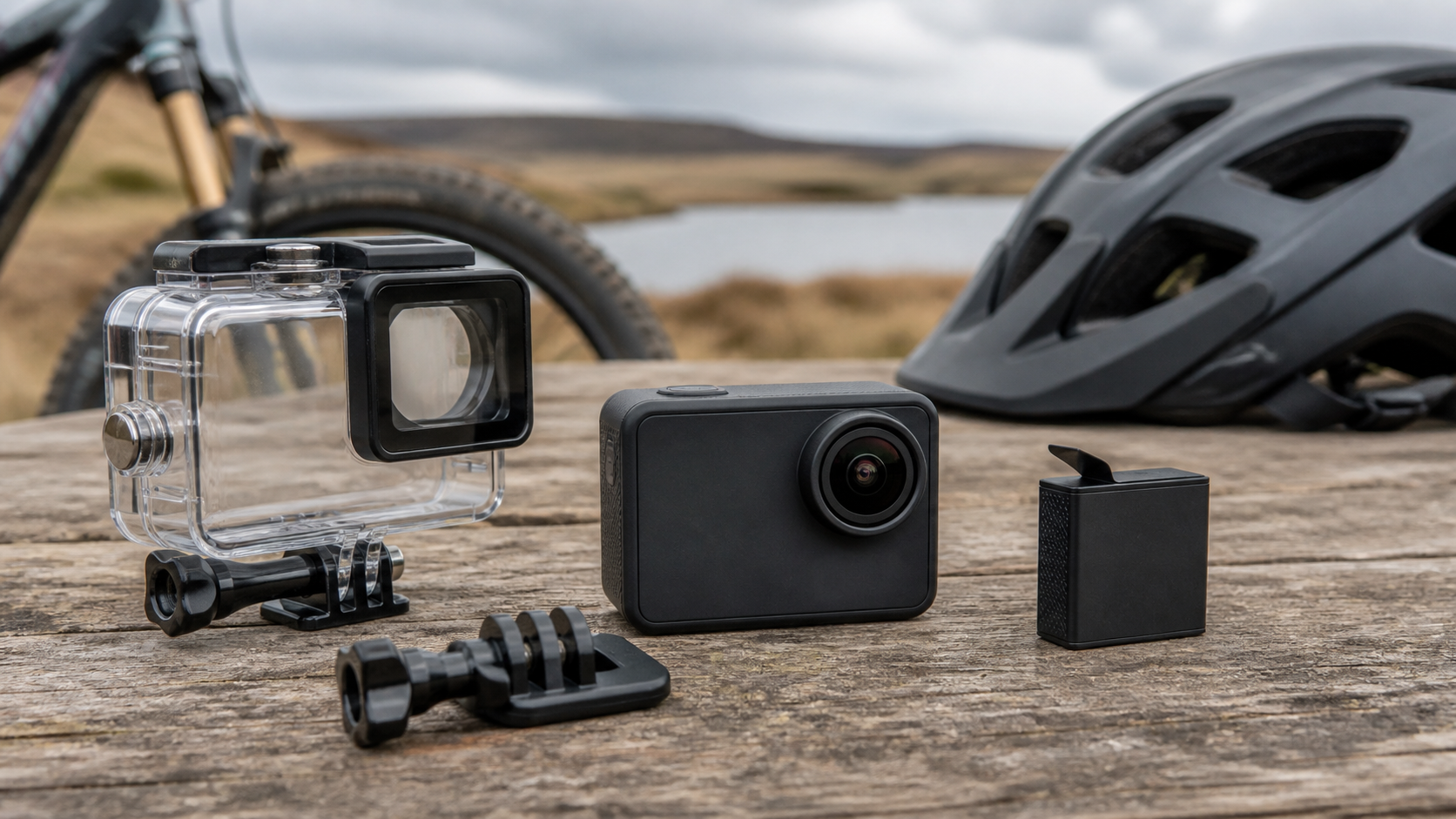
The best action camera is the one that records your real activity reliably, not the one with the largest resolution number on the box. Decide where it will be mounted, how long it must run, whether it will get wet, how you will hear speech and how quickly you need to transfer footage. Then test those requirements during the returns window.
Start with the job
An action camera for a daylight cycle commute has different priorities from one used for family holidays, indoor workshop footage or snorkelling. Pick the nearest use case before comparing models.
| Use case | Prioritise | Acceptable compromise |
|---|---|---|
| Cycling or helmet recording | secure mount, stabilisation, loop recording, simple controls | less emphasis on front screen |
| Travel and family days | battery availability, quick start, usable audio, easy phone transfer | fewer specialist mounts |
| Water and beach use | documented waterproof depth or housing, large buttons, tether point | reduced audio inside housing |
| Car or motorcycle clips | vibration-resistant mount, heat management, external power behaviour | shorter handheld battery life |
| Budget first camera | dependable 1080p/4K modes, replaceable storage, included mounts | weaker low light and fewer high-frame-rate modes |
If the camera cannot be mounted securely for the intended activity, every other specification is secondary.
Resolution is only one part of image quality
“4K” describes frame dimensions, not lens sharpness, bitrate, dynamic range or stabilisation quality. Two cameras can both create 4K files and produce very different results. Also check whether the advertised frame rate is available with electronic stabilisation enabled.
For most buyers, a stable, correctly exposed clip at a practical frame rate is more useful than a larger shaky file. Higher resolution and frame rates also increase storage use, processing time and battery drain.
Ask these questions for each recording mode:
- Is stabilisation available at this resolution and frame rate?
- Is the field of view cropped when stabilisation is enabled?
- How large is a typical ten-minute file?
- Can your phone or computer edit the codec smoothly?
- Does the camera split long recordings into multiple files?
Stabilisation: test the movement you actually make
Electronic image stabilisation can make walking and cycling footage easier to watch, but it cannot remove every jolt. It may crop the image and can struggle in low light because longer exposure creates motion blur.
Run a repeatable test: record the same one-minute route at two modes, include pavement texture, a turn and a section with bright sky, then watch on a large screen. Look for horizon jumps, pulsing sharpness and unreadable number plates or signs. Do not judge only from the camera’s small display.
Battery and heat
Published battery figures are usually conditional on resolution, frame rate, screens, Wi-Fi and ambient temperature. Plan around your longest uninterrupted recording rather than the most optimistic headline.
Check whether batteries are replaceable, whether spares are readily available and whether external USB power works while recording. Long high-resolution sessions can heat a compact camera. A shutdown in a demanding mode may be protective rather than a defect, but you need to know whether that mode fits your use.
A sensible field kit includes a labelled spare battery, a short approved charging cable and a dry case. Never charge a swollen or damaged battery.
Audio is often the hidden deal-breaker
Tiny microphones are exposed to wind, handling noise and waterproof housings. If speech matters, confirm whether the camera supports an external microphone and whether an adaptor is required. Test spoken words at arm’s length, while walking and in wind.
A waterproof case normally reduces audio clarity. Decide before purchase whether water protection or natural sound is more important for that shot.
Waterproof claims need exact wording
Some cameras are water-resistant without a case; others require the supplied housing. Depth, duration, door seals and fresh-water rinsing instructions vary. Treat “waterproof” without a stated configuration and depth as incomplete information.
Before first immersion:
- Inspect the seal and door for dust or hair.
- Close the empty housing and test it without the camera where the manual permits.
- Use a tether around water.
- Rinse salt or chlorinated water as instructed.
- Let every component dry before opening the battery or card door.
Mounts and the real cost of the kit
Included accessory counts can look generous while omitting the one secure mount you need. Check the mounting standard, the quality of screws and adhesive pads, and whether a safety tether can be added. Replace damaged plastic rather than trusting it above a road or water.
Add these costs to the camera price:
- suitable microSD card from a reputable seller;
- spare batteries and a charger;
- the correct helmet, handlebar, chest or suction mount;
- microphone adaptor or wind protection;
- waterproof housing and anti-fog inserts;
- a case that protects lenses and batteries.
The current SJCAM C200 bundle page should be checked for the exact contents, modes, warranty and live basket price. Do not infer that every accessory shown in a lifestyle image is included.
Storage and workflow
A fast card with the capacity recommended by the manufacturer is safer than a very large unverified card. Format it in the camera when instructed and copy important footage before reusing it.
Think through the whole workflow:
- Start recording with gloves or wet hands.
- Confirm recording without staring at the screen.
- Stop and protect the clip.
- Transfer it by card reader, cable or app.
- Back it up before editing.
- Export a format your intended platform accepts.
An awkward app can be bypassed with a card reader; an unreliable record button cannot.
Low light and night use
Small sensors and wide lenses need light. At night, stabilisation cannot recover detail that was never captured, and noise reduction can smear moving objects. Treat dramatic “night vision” language carefully unless the model has a documented illumination system or test footage matching your scene.
For evening cycling or vehicle evidence, do not expect an action camera to guarantee readable plates in every direction and speed. Position, exposure and lighting all matter.
Privacy and responsible recording
Recording in public still requires judgement. Avoid filming into places where people reasonably expect privacy, secure identifiable footage and think before sharing it. The UK Civil Aviation Authority gives the same practical privacy principles for camera-equipped drones: understand the camera’s capability, tell people where practical and avoid harmful sharing. Separate rules can apply to persistent domestic surveillance or commercial use.
Never let recording distract from driving, cycling or water safety. Configure the camera before moving.
A first-week acceptance test
Use the returns window to complete six short checks:
- Record five minutes in every mode you expect to use.
- Repeat your normal walking, cycling or vehicle vibration.
- Test audio with wind and with any housing fitted.
- Run one continuous battery test and note settings and temperature.
- Fill, transfer and play files from the chosen card.
- Inspect every mount after a full session.
Keep the original files. They reveal dropped frames, corruption and overheating more reliably than edited social clips.
Common mistakes
- Choosing 4K without checking stabilisation at that mode.
- Buying an unknown memory card to save a few pounds.
- Assuming a waterproof case preserves clear speech.
- Mounting above traffic or water without a tether.
- Comparing camera-only prices when batteries and mounts are essential.
- Expecting small-sensor night footage to resemble daylight.
- Recording people carelessly or publishing identifiable footage without thought.
See the Blog index for related guides and confirm the returns policy before beginning demanding water or mounting tests.
Frequently asked questions
Is 4K always better than 1080p?
No. 4K can preserve more detail, but stabilisation, bitrate, lens quality, light, storage and editing hardware determine whether it is the better mode for your use.
How much battery life do I need?
Work from your longest uninterrupted activity and the exact recording mode. Carry a spare when missing the end of the activity would matter.
Do I need an expensive microSD card?
You need a genuine card that meets the camera maker’s speed and capacity requirements. Reliability and correct specification matter more than buying the largest capacity.
Can I use an action camera as a dashcam?
Some can loop record and use external power, but heat, automatic start, file protection and mounting may be weaker than a purpose-built dashcam. Confirm each requirement rather than assuming.
What should a budget buyer prioritise?
Reliable recording, secure mounts, available batteries, usable controls and a clear returns route. Accept fewer modes before accepting uncertain storage or mounting safety.
Bottom line
Choose an action camera by the footage you must bring home. Secure mounting, stable video, sufficient battery, honest waterproofing and a workable transfer process beat headline resolution. A short, repeatable first-week test is the fastest way to separate a camera that fits your life from one that only wins on a specification card.